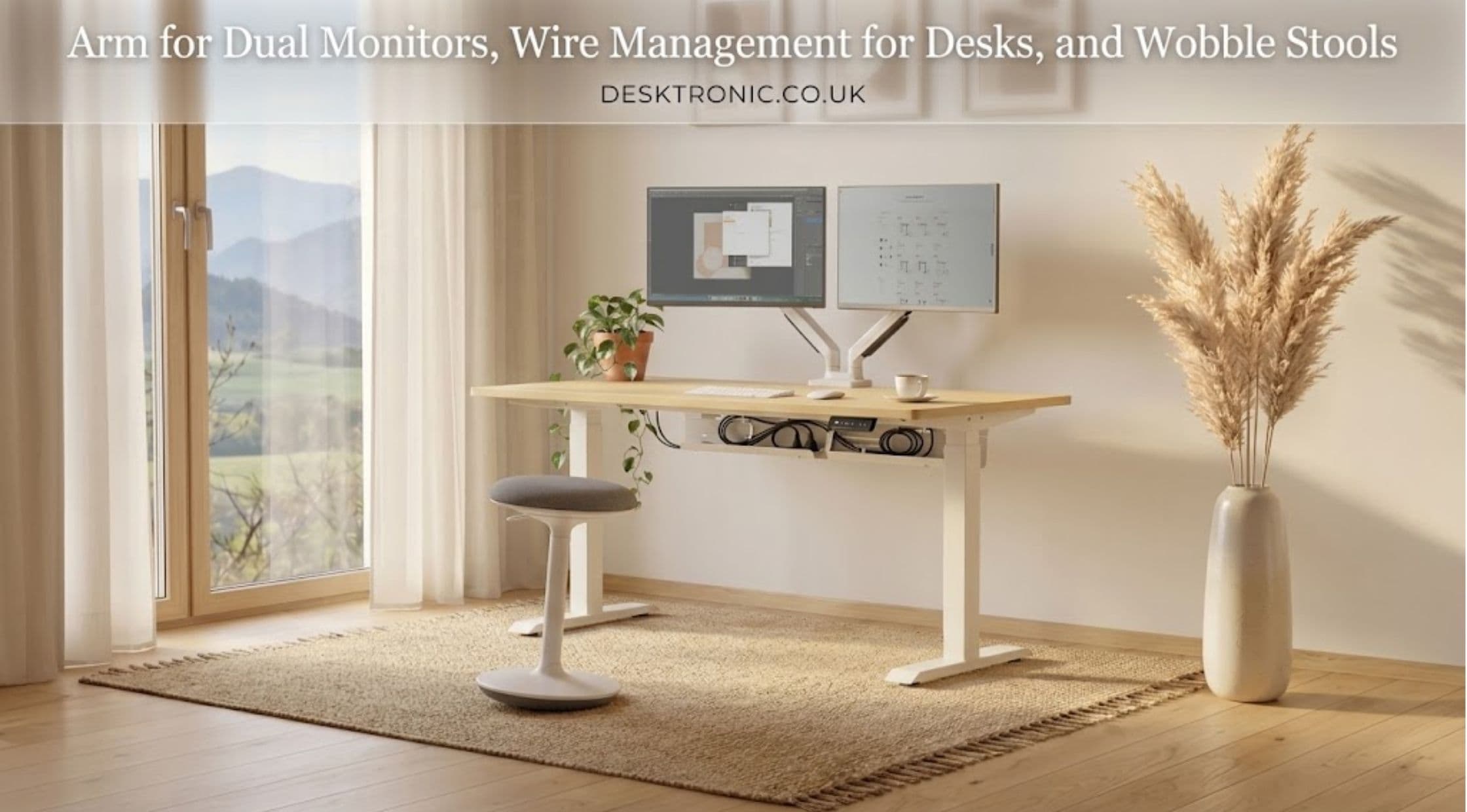
A well-organized workspace depends on more than a desk and computer. Monitor positioning, cable placement, and seating choices can influence how efficiently a work area functions. The right accessories can also help reduce clutter and make limited space easier to manage.An arm for dual monitors, wire management for desks, and a wobble stool each serves a different purpose. Together, these accessories can support a workstation that feels more organized, adaptable, and comfortable for everyday tasks.
Why Use an Arm for Dual Monitors?
Working with two screens can make multitasking easier for people who regularly compare documents, attend online meetings, or work across several applications. However, two separate monitor stands may occupy a significant portion of the desktop.An arm for dual monitors provides an alternative by supporting both screens above the desk. Depending on its design, it may allow users to adjust screen height, tilt, and viewing angles.This flexibility can help position monitors at a comfortable viewing level. It can also free up desk space for a keyboard, notebook, or other everyday essentials.
Before choosing a dual monitor arm, several details deserve attention:
- Screen compatibility: Check the supported monitor sizes and weight limits.
- Mounting system: Confirm whether the arm uses a clamp, grommet mount, or another attachment.
- VESA compatibility: Ensure both monitors match the arm's mounting pattern.
- Adjustment range: Consider the available height, tilt, swivel, and rotation options.
- Desk construction: Verify that the desktop can safely support the mounting system.
A suitable monitor arm should hold both screens securely without restricting necessary adjustments. Compatibility matters more than the number of features listed in a product description.
Wire Management for Desks: Reducing Cable Clutter
Loose cables can make a workstation appear untidy and complicate routine cleaning. They may also become tangled around desk legs or interfere with moving equipment.Wire management for desks involves organizing power cords, monitor cables, charging leads, and other connections. Solutions include cable trays, clips, sleeves, and under-desk channels.A cable tray can keep excess wiring beneath the desktop. Cable clips help route individual leads along a chosen path, while sleeves can group several cables together.An organized arrangement also makes it easier to identify connections when equipment needs replacement or troubleshooting. However, cables should remain accessible enough for safe maintenance.Electric standing desks require additional attention because their height changes during use. Power cords and signal cables need sufficient slack to accommodate movement without pulling against plugs or becoming trapped.Desktronic offers workspace accessories for people looking to organize their desks and equipment. The Desktronic provides a starting point for exploring options that may suit different workstation layouts.
What Is a Wobble Stool?
A wobble stool is a type of seat designed to permit small movements while sitting. Depending on its base and construction, it may tilt or shift slightly as the user changes position.These stools are sometimes used with sit-stand desks, flexible workstations, and collaborative spaces. Their compact design can also suit areas where a conventional chair feels bulky.Unlike a standard office chair, a wobble stool may offer limited back support or fewer adjustments. This makes it important to consider the intended task and duration of use.A wobble stool should not automatically replace an ergonomic chair for every situation. Some people may prefer a supportive chair for extended seated work and use a wobble stool for shorter activities.Before choosing one, consider seat height, base stability, weight capacity, and the range of movement. The seat should feel controlled rather than unstable, particularly when used near a standing desk.
Bringing the Accessories Together
A dual monitor arm, cable-management system, and wobble stool can serve complementary roles in a flexible workspace.The monitor arm positions screens while keeping more of the desktop available. Cable-management accessories organize connections beneath or behind the desk. A wobble stool provides an alternative seating option for people who prefer occasional movement while working.These accessories work best when selected around the workstation's actual requirements. A dual-screen setup may need a stronger mounting solution, while an electric desk may require a cable tray with enough room for moving wires. Desktronic's official website offers desks and workspace accessories for different office arrangements. Checking product specifications can help determine whether an accessory suits the existing furniture.
How to Choose the Right Workspace Accessories
A few practical checks can prevent unnecessary purchases and compatibility issues.
- Measure the workspace: Record desk dimensions and the available space behind and beneath it.
- Check equipment requirements: Confirm monitor weights, mounting patterns, and cable lengths.
- Prioritize safety: Keep cables away from moving mechanisms and walking paths.
- Consider daily habits: Choose seating and monitor adjustments based on the tasks performed most often.
- Avoid unnecessary additions: Select accessories that solve a real organization or comfort problem.
A well-planned setup does not require every available accessory. The goal is to make the work area easier to use without adding complexity.
Final Thoughts
An arm for dual monitors can improve screen positioning and free up desktop space. Wire management for desks helps control loose cables, while a wobble stool provides an alternative seating option for suitable tasks.Each accessory serves a distinct purpose, so compatibility and personal preferences should guide the selection process. Together, they can help create a workspace that feels organized and adaptable. Desktronic offers furniture and accessories worth exploring when planning a workstation upgrade. Its accessories collection can help identify options for monitor positioning and cable organization, depending on current availability and product specifications.